A Year of Travel, Shot on iPhone 17 Pro
· By April Windsor
A year ago I decided to try something. I would keep the iPhone 17 Pro in my pocket through twelve months of travel and let it do the work I usually save for the proper cameras. No rules beyond that. Shoot what I noticed, keep what held up. Everything in this story was taken on the phone.
The iPhone 17 Pro gave me real creative freedom. Professional quality imagery, made anywhere, without a big camera over my shoulder.
ITALY
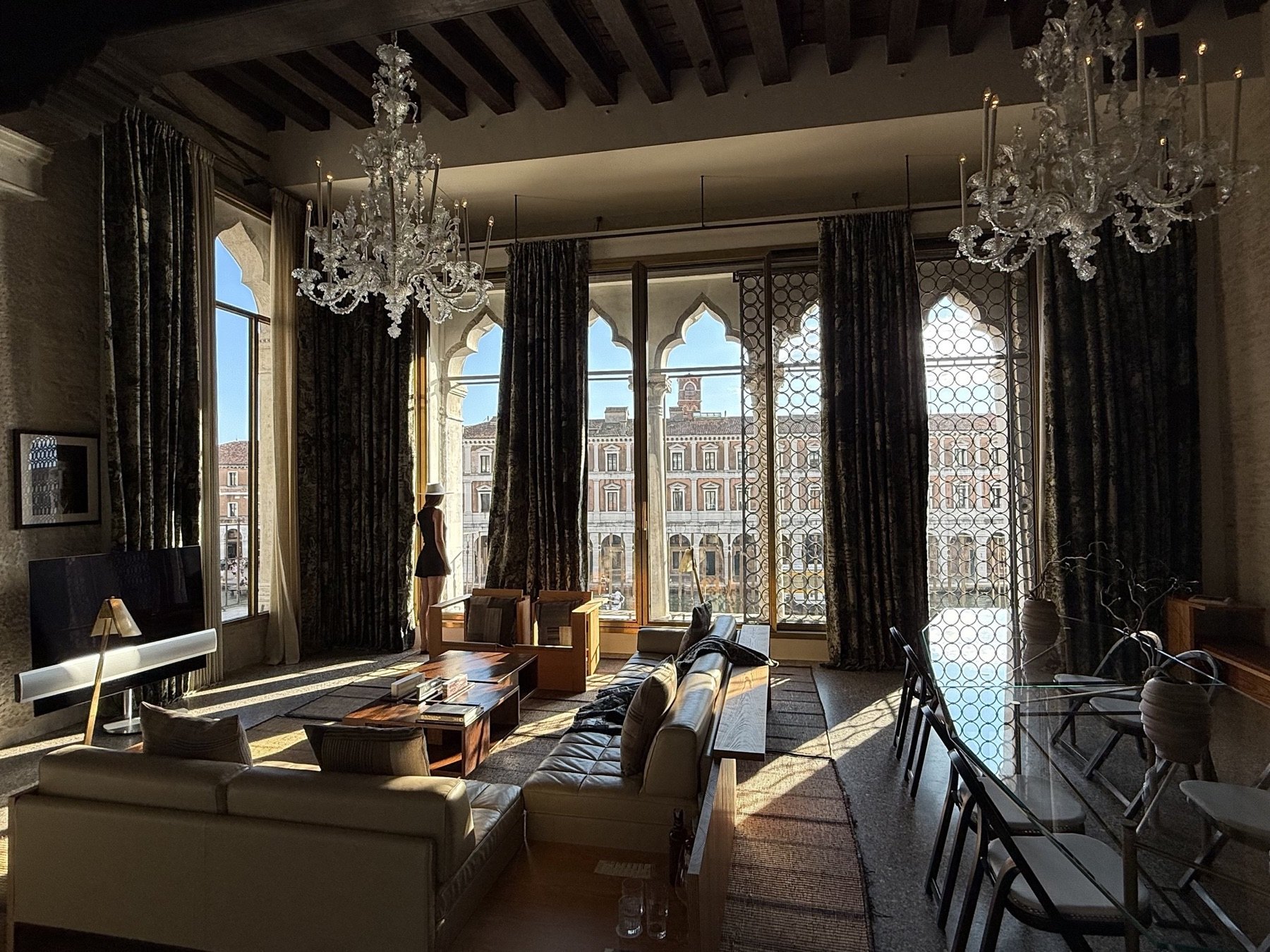
We were in Italy more than anywhere else this year. Florence first, then Venice, a weekend in Rome, then down the coast to Amalfi. It is an easy country to photograph and a hard one to photograph well, because everything in it has been shot a million times already. The telephoto helped with that. Getting closer from further away made familiar places feel like mine again. The Savoy gave us the best window in Florence, and on the coast the light does half the work for you. The longer stories are in our Florence guide and our Amalfi Coast guide, and the Venice Venice earned a story of its own.
BALI, INDONESIA
Bali is home, which means most of these were taken on ordinary days rather than trips. Market mornings, dinners we did not dress up for, the drive home. That turns out to be the real advantage of a camera that lives in your pocket. The macro surprised me too. I use it at the table more than I would like to admit. There is also something to be said for editing on the same screen you shot with, by the pool, before the day gets away from you. Most of what is pictured here, the hotels, the spa, the long table at John Hardy, has its full write up in our guide to the island.
HONG KONG
Hong Kong gives you a skyline in one direction and an alley in the other, so you end up using every lens the phone has. The 8x got the harbour from our hotel window. The wide got the streets. Neon reads honestly after dark now, which was not true of any phone I have carried before. A lot of frames in our August guide started on the phone before the Leica ever came out of the bag. The Kimpton, the Peninsula, the Upper House and Peridot all get the longer treatment in our Hong Kong guide.
SHANGHAI
Shanghai came late in the year and the phone barely left my hand there. The city runs on contrast, art deco against glass, and the telephoto stacks those layers the way your eye insists they sit. Low light is where this generation earns its keep. Amber corridors and lantern walls that used to defeat a phone now come out the way they felt. The longer story, seven hotels of it, is in our Shanghai guide.
IN MOTION
Photos are only half of what the phone did this year. It shoots steady, honest 4K straight out of hand, the kind of footage that used to need a gimbal and a spare battery, and it cuts together with our camera work without giving itself away. A few favourites from our Instagram, from Bali to Thailand to Europe, all shot on the iPhone.
HOW WE SHOOT
None of this is complicated, and almost all of it lives in the settings you set once and forget. If you want frames that cut together like a magazine spread rather than a camera roll, this is where I would start.
Shoot ProRAW. Settings, Camera, Formats, then turn on ProRAW & Resolution Control, and tap RAW in the camera when you want it. You get a file that holds its highlights and its shadows, so a blown window or a dark corridor is recoverable later instead of lost. It is the single biggest difference between a phone snap and something you can grade. The files are large, so I switch it on for the shoot and off for the airport.
Turn on the grid and the level. Settings, Camera, then under Composition switch on both Grid and Level. The grid gives you thirds to place a subject against, and the level puts a line across the frame that turns yellow when you are actually straight. Interiors are unforgiving about this. A doorway half a degree off reads as sloppy even when nobody can say why.
Then crop with intent. Editorial framing is usually decided after the fact. In Photos, open Edit, take the crop tool and straighten the verticals until the architecture stands up, then choose a ratio and stay with it. I shoot loose on purpose to leave room for that. Every edit in Photos is reversible, so you can push a crop as far as it will go and hit Revert if it was too far.
The rest is light. Shoot early or late, let the shadows stay dark rather than lifting everything to grey, and take the picture from where a person would actually stand.
THE FORMULA
Cinematic is mostly one idea: film does not render light the way a phone wants to. Phones lift everything into the middle, bright and even and safe. Film lets the highlights roll off and the shadows stay closed. Almost every adjustment below is pulling the picture back toward that. It is a starting point in Photos, not a law. Open Edit, tap Adjust, and work down the list.
Exposure −5, Highlights −30. Bring the brightest part of the frame back first. A window, a pool surface, a white tablecloth in sun. Highlights is the single slider that does the most work.
Shadows +15, Black Point +10. These two argue with each other on purpose. Shadows opens up the dark corners so you can see the room, then Black Point puts the floor back underneath so the image does not go milky. Most phone edits stop after the first one, which is why they look flat.
Contrast −10, Brilliance +10. Slightly less global contrast, slightly more local. It reads as depth rather than punch.
Saturation −10, Vibrance +15. Pull the whole picture down, push the quiet colours back up. Reds and skin tones calm down, and the greens and blues in a landscape keep their life.
Warmth −5, Tint +3. A touch cooler, a touch toward magenta. Cool shadows against warm skin is the oldest trick in colour grading and it still works.
Definition +10, Sharpness +5. Enough to hold texture in stone and linen. Push Sharpness past about 20 and it starts to look like a phone again.
Vignette +8. Barely there. If you can see it, it is too much.
Two habits matter more than any of these numbers. Edit one picture properly, then use Copy Edits and Paste Edits across the rest of the set so a series holds together. And check your work on the phone at arm's length rather than at full zoom, because that is how it will be seen. ProRAW files take all of this much further before they break, which is the whole reason to shoot them.
NOTES AFTER A YEAR
A year with the iPhone 17 Pro settled it for me. You do not always need to lug a big camera around to make beautiful, editorial imagery. Three 48 megapixel sensors cover more range than the kit I used to fly with, and somewhere around month three I stopped checking which camera a picture came from.
For what it is worth, the main camera took most of these. The 2x is what I reached for in interiors, the 4x in cities. And for video I keep going back to the 4x and the 8x, there is a cinematic feel to the way they compress a scene, and the detail they hold is better than most high end cameras I have used.
One more thing that has quietly changed how I work. Clean Up, in the Photos app, lets you circle anything that wandered into a frame, a stray sunbed, a phone left on a table, and it is gone, filled in on the device as if it was never there. Half my old editing was exactly this, and now it happens before the coffee arrives.
A word on durability, because a year of travel is the proper test. This phone lived loose in bags and pockets through twelve months of airports and beaches, never once wearing a screen protector, and there is not a single scratch on the screen. Apple calls the new glass Ceramic Shield 2 and claims three times the scratch resistance of what came before. I can only report that I used to budget for a replacement screen most years, and this year I did not think about it once.
THE NEXT ONE
By the time you read this, September will be close, and September is when Apple shows its hand. The talk around the next iPhone has our attention. A variable aperture on the main camera, a first for the iPhone if it lands, would mean real control over depth and light rather than asking software to approximate it. A faster chip on a smaller process and a sharper front camera round out the expectations. If this year showed us what a pocket camera can do, we are already curious about the next twelve months.
Every photograph in this story was shot by us on the iPhone 17 Pro over twelve months of travel, and the opinions are our own.
Frequently Asked Questions
Is the iPhone 17 Pro good enough for travel photography?
After a year of carrying it across Italy, Bali, Hong Kong and Shanghai, we think so. Every photograph in our story was shot on the iPhone 17 Pro, and its three 48 megapixel Fusion cameras cover more range than the compact kit we used to fly with.
What cameras does the iPhone 17 Pro have?
Three 48 megapixel Fusion cameras: a main camera, an ultra wide that also handles 48 megapixel macro, and a 100mm 4x telephoto that offers an 8x optical-quality mode at 200mm. The front camera is a new 18 megapixel square sensor.
Did Splendid stop using dedicated cameras?
No. A Leica still travels with us and shoots much of the magazine. What changed over the year is that the phone became the camera that is always in hand, and we stopped checking which pictures came from which.